






Google Workspace Intelligent tools your business can depend on
Plans Pricing ₹ 160.65 ₹ 864 ₹ 1,700 /account/month


Leverage the power of Google's machine intelligence to build a smarter team
- Effectively Communicate
- Seamlessly Collaborate
- Easily Manage

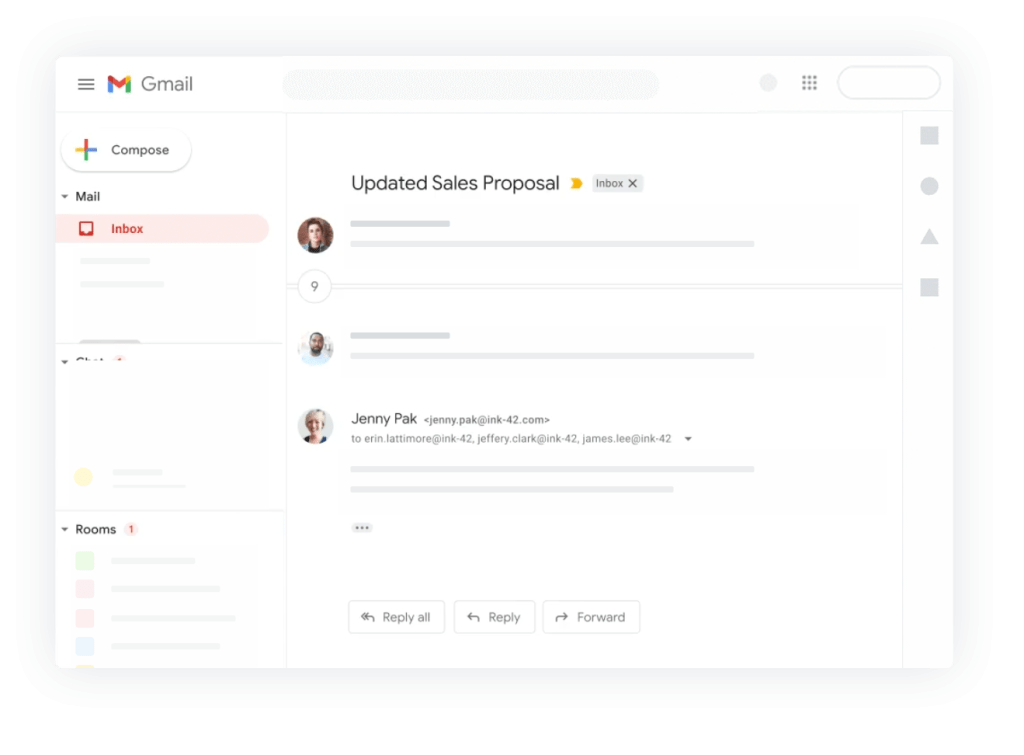
Get the power of Gmail
Get a professional email for your business with all the powerful features of Gmail.

Keep your schedule organized
Add reminders, schedule meetings and never miss a thing with Google’s smart calendar.

Communicate on the go
Stay connected with your colleagues via HD video calls and instant messages using Google Meet and Google Chat.


Intelligent Collaboration
Collaborate in real time, store your files on the cloud, share and access them from anywhere.

Smart Cloud search
Search across all your organizations content. From Gmail and Drive to Docs, Sheets, Slides, Calendar, and more.

Stay updated
Discuss new ideas, engage in meaningful conversations and stay up to date with Currents.


Efficient control from a single place
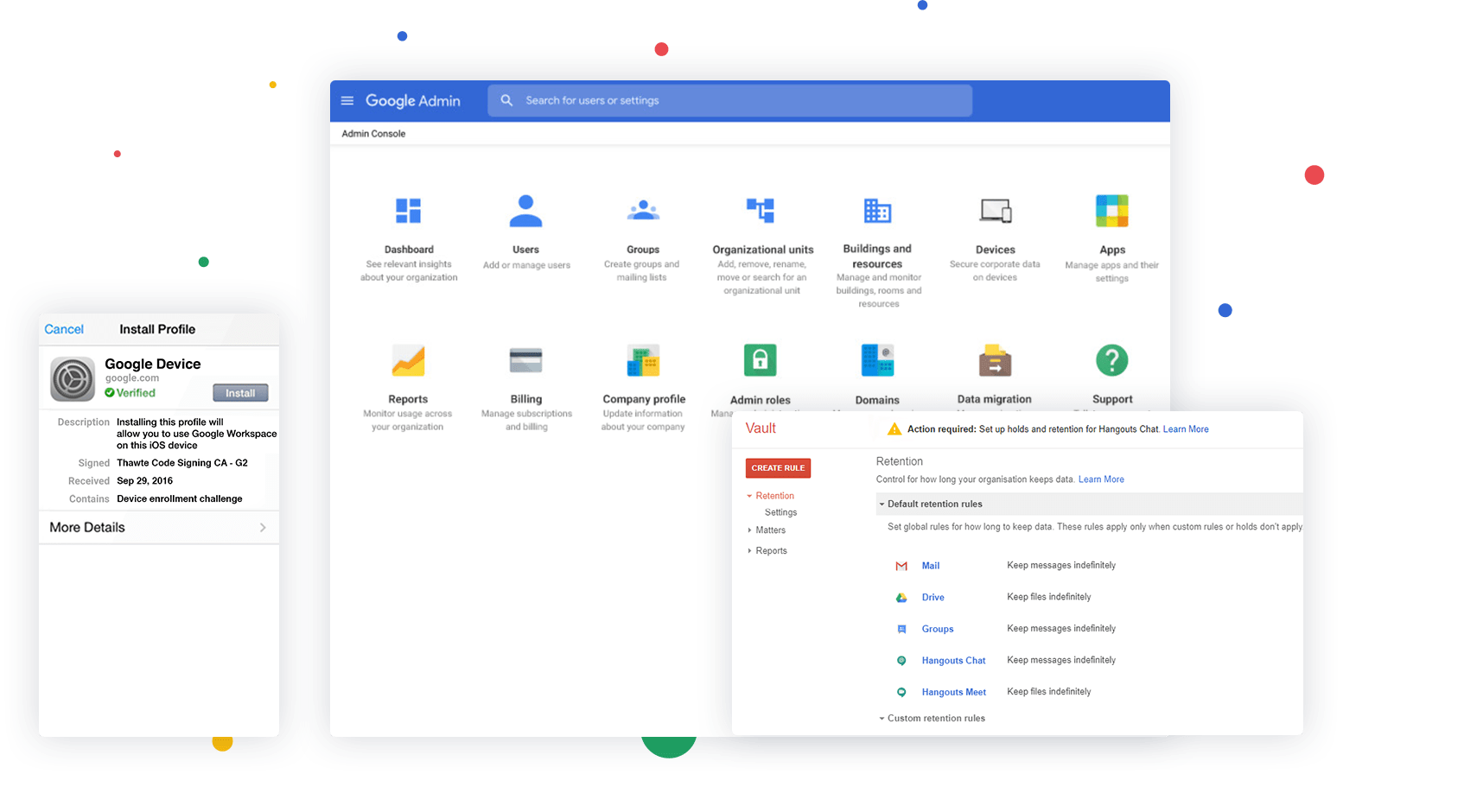
Manage users, groups, permissions and migrate existing accounts to Google Workspace easily from the Admin Console.

Archive your data with ease
Retain and manage how your organizations data is stored and save what’s important with Vault.

Stay Secure
Manage and give access to your employees on their devices while keeping your data secure with Endpoint Management.
Get Started with Google Workspace
Choose a Google Workspace plan that serves your business requirement

Business Starter
₹ 160.65 INR
₹ 270 *
per user/month, one-year commitment
- 30 GB pooled storage per user**
- Secure custom business email, you@your-company.com
- Get started with AI
- Gemini AI assistant in Gmail
- Chat with AI in the Gemini app
- 100 participant video meetings
- Google Vids AI-powered video creator and editor
- Security and management controls
- Standard Support
Business Standard
₹ 864 INR
₹ 1,080 *
per user/month, one-year commitment
- 2 TB pooled storage per user**
- Secure custom business email, you@your-company.com
- Unlock the full power of AI
- Gemini AI assistant in Gmail, Docs, Meet, and more
- Chat with AI in the Gemini app + create your team of AI experts
- AI research assistant (NotebookLM Plus)
- 150 participant video meetings + recording, noise cancellation
- eSignature with Docs and PDFs
- Appointment booking pages
- Google Vids AI-powered video creator and editor
- Email layouts and mail merge
- Security and management controls
- Standard Support***
Business Plus
₹ 1,700 INR
per user/month, one-year commitment
- 5 TB pooled storage per user**
- Secure custom business email, eDiscovery, retention
- Unlock the full power of AI
- Gemini AI assistant in Gmail, Docs, Meet, and more
- Chat with AI in the Gemini app + create your team of AI experts
- AI research assistant (NotebookLM Plus)
- 500 participant video meetings + recording, attendance tracking, noise cancellation
- eSignature with Docs and PDFs
- Appointment booking pages
- Google Vids AI-powered video creator and editor
- Email layouts and mail merge
- Enhanced security and management controls, including Vault and advanced endpoint management
- Standard Support***
Get Started with Google Workspace
Choose a Google Workspace plan that serves your business requirement
Business Starter
₹ 160.65 INR
₹ 270 *
per user/month, one-year commitment
- 30 GB pooled storage per user**
- Secure custom business email, you@your-company.com
- Get started with AI
- Gemini AI assistant in Gmail
- Chat with AI in the Gemini app
- 100 participant video meetings
- Google Vids AI-powered video creator and editor
- Security and management controls
- Standard Support
Business Standard
₹ 864 INR
₹ 1,080 *
per user/month, one-year commitment
- 2 TB pooled storage per user**
- Secure custom business email, you@your-company.com
- Unlock the full power of AI
- Gemini AI assistant in Gmail, Docs, Meet, and more
- Chat with AI in the Gemini app + create your team of AI experts
- AI research assistant (NotebookLM Plus)
- 150 participant video meetings + recording, noise cancellation
- eSignature with Docs and PDFs
- Appointment booking pages
- Google Vids AI-powered video creator and editor
- Email layouts and mail merge
- Security and management controls
- Standard Support***
Business Plus
₹ 1380 INR
per user/month, one-year commitment
- 5 TB pooled storage per user**
- Secure custom business email, eDiscovery, retention
- Unlock the full power of AI
- Gemini AI assistant in Gmail, Docs, Meet, and more
- Chat with AI in the Gemini app + create your team of AI experts
- AI research assistant (NotebookLM Plus)
- 500 participant video meetings + recording, attendance tracking, noise cancellation
- eSignature with Docs and PDFs
- Appointment booking pages
- Google Vids AI-powered video creator and editor
- Email layouts and mail merge
- Enhanced security and management controls, including Vault and advanced endpoint management
- Standard Support***
Enterprise
Contact sales for pricing
- Custom and secure business email + eDiscovery, retention, S/MIME encryption
- 1000 participant video meetings + recording, attendance tracking, noise cancellation, in-domain live streaming
- 5 TB pooled storage per user, with ability to request more**
- Advanced security, management and compliance controls, including Vault, DLP, data regions and enterprise endpoint management
- Enhanced support (paid upgrade to Premium Support)
Google Workspace FAQs
Yes, you can use an existing domain with your Google Workspace order.
When switching to Google Workspace from another program or web service, you and your users can bring your existing mail, contacts, and calendar data with you. You have a variety of options for migrating data into Google Workspace, depending on the size of your organization and the system you're migrating from. Tools are available for migration from Microsoft Exchange, Lotus Notes, IMAP servers and other Google accounts.
Each email account comes with 30 GB space.
In addition to accessing Google Workspace mail from the Gmail web interface, you can send and receive mail from your favorite desktop client. Depending on the client, you can use either the IMAP or POP mail protocol. If you’re switching to Google Workspace from Microsoft Exchange or some other Outlook service, you can use Google Workspace Sync. This is a plug-in for Outlook 2003, 2007, 2010 or 2013 that lets you use Outlook to manage your Google Workspace mail, calendar and contacts—along with your Outlook notes, tasks and journal entries.
You can send and receive emails using any desktop-based email client such as Microsoft Outlook, Outlook Express, Mozilla Thunderbird, Eudora, Entourage 2004, Windows Mail, etc. We also have a guide on how you can configure different email clients to send/receive emails. The enterprise email product supports the POP, IMAP and MAPI protocols.
Your email can be accessed using any Smartphone or Tablet. The Gmail interface is compatible on all major Operating systems such as iOS, Android, Windows Mobile, Symbian and Blackberry.
Yes, you can create mailing lists and add/delete users, select a moderator, restrict people from joining a list or even ban users from a list.
When you sign up for a Google Workspace account, you agree not to use the account to send spam, distribute viruses, or otherwise abuse the service. All users on your domain are subject to these agreements, which are part of the Google Workspace Acceptable Use Policy. If Google identifies a Google Workspace user who is violating these agreements, we reserve the right to immediately suspend the user. If the problem is domain-wide, we reserve the right to suspend the entire account and deny administrator access to all the Google Workspace services. In such cases, we send a notification to the registered secondary email address for the domain administrator.
Yes, you can. Use Gmail's vacation responder to let people know that you won't be able to get back to them right away. While your vacation responder is turned on, Gmail will send your reply to people who email you.
Yes. During the transfer, we move all your email accounts from the old provider to us by keeping the data intact. However, your existing tenure with the other provider, if any does not get moved to us. You can click here to initiate the transfer process.
Frequently Asked Questions
What is Google Workspace?
Google Workspace is a cloud-based productivity and collaboration platform for businesses. It brings together professional Gmail, Google Drive, Google Meet, Google Calendar, Google Chat, Docs, Sheets, Slides, Forms, Sites and other business tools in one managed environment. Depending on the plan, businesses can also access additional Gemini AI capabilities, storage and security controls.
Who is Google Workspace suitable for?
Google Workspace is suitable for startups, small businesses, growing companies, agencies, educational organizations and teams that need professional business email, cloud storage, online collaboration and productivity tools. It supports working across computers, smartphones and other supported devices.
What apps are included in Google Workspace?
Google Workspace provides a collection of business applications including Gmail, Calendar, Drive, Meet, Chat, Docs, Sheets, Slides, Forms and Sites. Depending on the selected plan, businesses can also receive additional capabilities such as Gemini AI, Google Vids, enhanced security controls, appointment scheduling and other business features.
Does Google Workspace include professional business email?
Yes. Google Workspace provides professional Gmail for businesses using a custom domain. For example, a company can create addresses such as sales@yourcompany.com or support@yourcompany.com instead of relying on a personal Gmail address.
Can I use my existing domain with Google Workspace?
Yes. Businesses can connect an existing domain to Google Workspace and use it for professional Gmail addresses. Domain verification and DNS configuration are required during the setup process.
How much cloud storage does Google Workspace provide?
Storage depends on the Google Workspace plan. Current Google Workspace India plans include different storage allowances, such as 30 GB pooled storage per user for Business Starter and 2 TB pooled storage per user for Business Standard. Higher plans provide additional storage and features.
What is pooled storage in Google Workspace?
Pooled storage means storage is shared across an organization's users according to the plan's storage allocation. The storage can be used across services such as Google Drive and Gmail rather than being restricted to a single application.
Does Google Workspace include Google Drive?
Yes. Google Drive is included with Google Workspace and provides cloud storage for business files. Teams can store, organize, share and collaborate on documents and other files from supported devices.
Does Google Workspace include Google Meet?
Yes. Google Meet provides online video meetings for Workspace users. Meeting capabilities such as participant limits, recording and additional meeting features depend on the selected Workspace plan.
Can Google Workspace be used for remote work?
Yes. Google Workspace is designed for cloud-based work and collaboration. Employees can access Gmail, Drive, Calendar, Docs, Sheets, Meet and other Workspace services from supported devices and collaborate with colleagues from different locations.
Does Google Workspace work on mobile devices?
Yes. Google Workspace services can be accessed from supported mobile devices through Google's mobile applications and web interfaces. This allows employees to manage email, files, calendars, meetings and documents while working away from their computers.
Does Google Workspace include Google Docs, Sheets and Slides?
Yes. Google Workspace includes Google Docs, Sheets and Slides for creating and collaborating on documents, spreadsheets and presentations. Multiple users can work on supported files and collaborate in real time.
What is Google Chat in Google Workspace?
Google Chat is a business communication tool included with Google Workspace. Teams can use Chat for direct messages, group conversations and spaces designed around projects or team collaboration.
Does Google Workspace include Google Calendar?
Yes. Google Calendar is included with Workspace and can be used to schedule meetings, manage calendars, coordinate availability and organize business events. Calendar also integrates with services such as Gmail and Google Meet.
Does Google Workspace include Gemini AI?
Google currently includes Gemini AI capabilities in selected Workspace plans. Depending on the plan, Gemini can assist with tasks across services such as Gmail, Docs, Meet and other Workspace applications. The exact AI capabilities and access levels depend on the selected plan.
What can Gemini do in Google Workspace?
Gemini can help with tasks such as drafting and summarizing emails, creating and improving content, analyzing information and generating ideas. Higher Workspace plans provide access to additional Gemini capabilities across more Workspace applications.
Is Google Workspace suitable for small businesses?
Yes. Google Workspace provides small businesses with professional email, cloud storage, collaboration tools, online meetings and productivity applications through a managed business subscription. Different plans allow businesses to select features based on their requirements.
How many users can Google Workspace support?
The user capacity depends on the selected plan. Google's current Business Starter, Business Standard and Business Plus plans support up to 300 users, while Enterprise plans have different user limits and are designed for larger organizations.
What is the difference between Google Workspace Starter and Standard?
The main differences include storage, AI capabilities and additional business features. Google Workspace Starter provides 30 GB pooled storage per user, while Business Standard provides 2 TB pooled storage per user and adds expanded Gemini capabilities and additional features such as meeting recording, appointment booking and eSignature.
What is the difference between Google Workspace Standard and Plus?
Google Workspace Plus builds on Standard with additional storage and advanced business capabilities. Current Google information lists 5 TB pooled storage per user for Business Plus, along with features such as Google Vault, enhanced endpoint management and larger Google Meet capabilities.
Does Google Workspace include Google Vault?
Google Vault availability depends on the selected Workspace plan. Business Plus and higher-level offerings can provide Vault capabilities for retaining, archiving and searching organizational data.
Does Google Workspace provide business security?
Yes. Google Workspace includes security and administrative controls designed to help organizations manage users, identities, applications and business data. Advanced security and management capabilities vary by Workspace edition.
Can I migrate my existing business email to Google Workspace?
Yes. Existing business email can be migrated to Google Workspace. The appropriate migration method depends on the current email provider, mailbox configuration, amount of data and migration requirements.
Can I migrate files and business data to Google Workspace?
Yes. Google Workspace supports business data migration, and Google provides migration tools and resources for supported migration scenarios. The exact migration process depends on the source platform and data being moved.
Can I migrate from Microsoft 365 to Google Workspace?
Yes. Businesses can migrate supported email, contacts, calendars and other data from Microsoft 365 to Google Workspace. Migration planning is important because the process depends on the services and data being transferred.
Can Google Workspace be used with Microsoft Outlook?
Google Workspace provides interoperability with Microsoft Outlook for supported business requirements. Businesses moving from another email environment can evaluate the appropriate configuration based on their users and workflow.
Is Google Workspace available in Surat?
Yes. Businesses in Surat can purchase and use Google Workspace for professional email, cloud storage, communication and collaboration. Getspace provides Google Workspace-related services for businesses in Surat and can assist with licensing and setup requirements.
How do I buy Google Workspace in Surat?
You can purchase Google Workspace directly from Google or through an authorized Google Workspace provider or partner. Businesses purchasing through Getspace can contact the team to discuss Workspace plans, licensing, domain email setup and deployment requirements.
Can Getspace help with Google Workspace setup?
Yes. Getspace can assist businesses with Google Workspace requirements such as plan selection, domain configuration, professional Gmail setup, user creation, migration and administrative configuration. The exact support package should be confirmed with Getspace before purchase.
Can Getspace migrate my existing business email to Google Workspace?
Getspace can assist with Google Workspace migration requirements, including planning and configuration for businesses moving from an existing email platform. Migration scope depends on the current email provider, number of users and data involved.
Is Google Workspace good for startups in Surat?
Google Workspace can be used by startups that need professional business email, cloud storage, online meetings and collaborative productivity tools. Startups can select a Workspace plan based on their number of users, storage requirements, AI needs and security requirements.
Can Google Workspace improve team collaboration?
Google Workspace is designed for real-time collaboration across services such as Docs, Sheets, Slides, Drive, Meet, Chat and Calendar. Teams can share files, collaborate on documents, communicate and coordinate meetings within an integrated cloud environment.
Can Google Workspace be accessed from anywhere?
Google Workspace is cloud-based, allowing users to access supported services from locations with an internet connection and compatible devices. Some Google services also provide offline capabilities for supported workflows.
Is Google Workspace different from a personal Gmail account?
Yes. Google Workspace is designed for organizations and provides business features such as custom-domain email, centralized administration, business storage, user management, security controls and additional collaboration capabilities that are not equivalent to a standard personal Gmail account.
What should I consider before choosing a Google Workspace plan?
Before choosing a plan, consider the number of users, required storage, business email requirements, Google Meet requirements, AI features, security controls, data retention requirements and whether your business needs migration or administrative support.
Which Google Workspace plan should my business choose?
The appropriate plan depends on your business requirements. Businesses mainly needing professional email, collaboration and basic cloud storage can evaluate Starter, while organizations needing more storage, advanced AI and additional collaboration features can compare Standard. Businesses requiring advanced security, retention or management features can evaluate Plus or Enterprise.
Quick Answer: Is Google Workspace suitable for my business?
Google Workspace is worth considering if your business needs professional Gmail, cloud storage, online meetings, shared calendars and real-time collaboration through Google's productivity applications. The right plan depends on your users, storage requirements, AI needs, meeting features and security requirements.